

From Script to Spoken Word: the First Software Layer That Takes Dialogue Seriously
As long as artificial intelligence in film is discussed mainly in terms of image — generated scenes, characters, trailers — the sound side often stays manual work. A script still has to be split into lines, voices assigned, language checked, emotions tagged, and character consistency held across the whole piece. Right at that gap, a tool has appeared that claims something which until recently sounded more like a wish than a finished product: that it can turn a written script into spoken word ready to listen to.
The tool is Replica 11 – Script to Speech. It is a Windows desktop app that takes a film or dialogue script, detects characters, narrator, and stage directions, lets you assign an ElevenLabs AI voice to every role, and generates the result as audio — in batches, into a local folder. Optionally it can structure or “enliven” the text with ChatGPT before generation. It can also translate a transcription into other languages. The important point: nothing leaves for the cloud without the user’s confirmation. Structure first, voices second.
Why does this matter for the festival community around Playlist? Because a short AI film is not image alone. It needs dubbing, temp voice-over, an audiobook version of the story, or a fast dialogue preview before the final mix. Small teams and solo authors rarely have studio casting. Replica 11 aims straight at that gap: the script stays a script, but the production bridge to spoken word is no longer an all-night manual session in an editor.
How it works — a short process demo
The whole workflow is deliberately linear. It is not a magic “make the film” button, but a clear sequence of steps the creator controls. That is exactly why it fits festival production, where both speed and control matter.
- Open Replica 11 and load your script
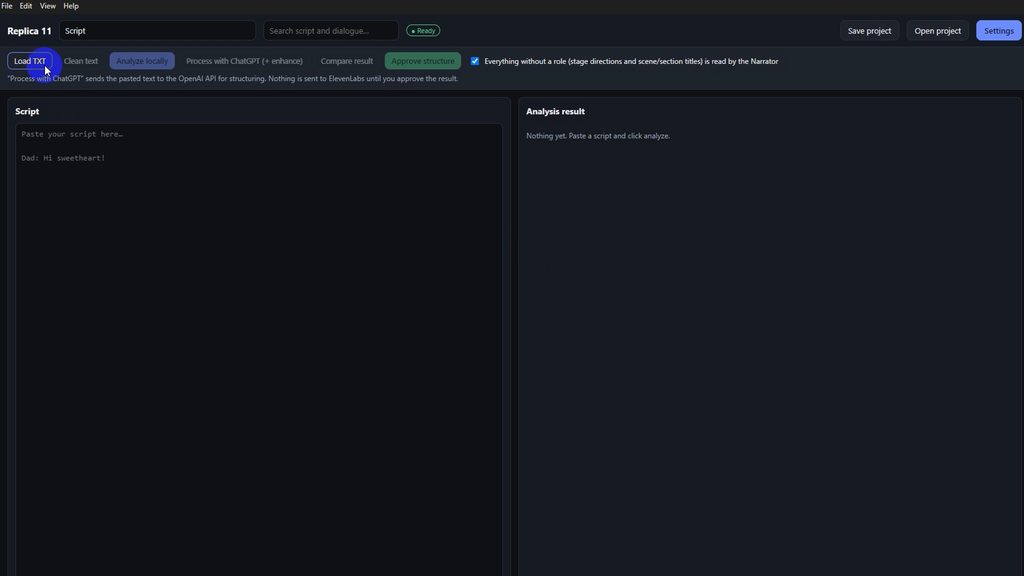
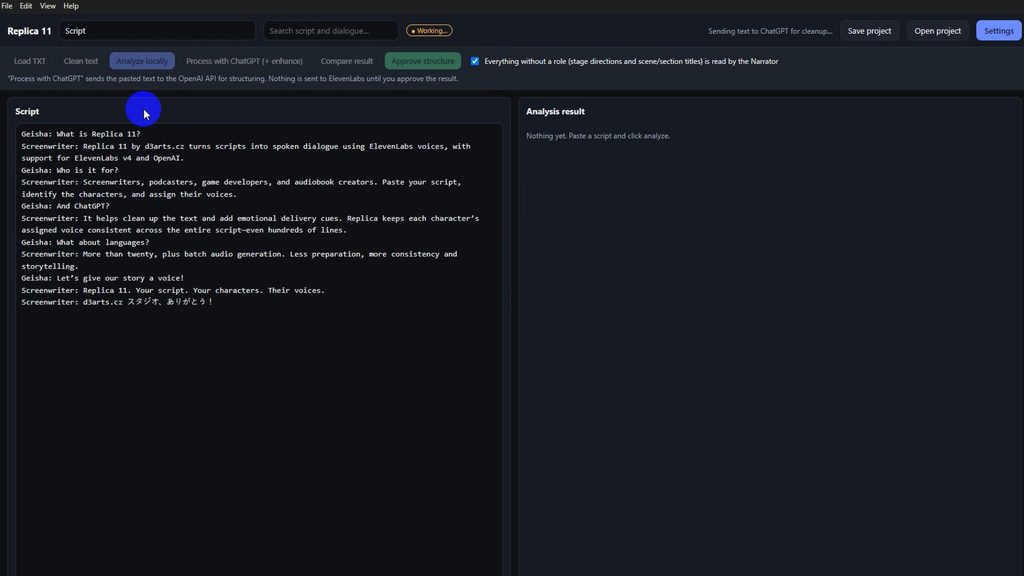
Launch the app, load a TXT file, or paste text into the Script panel. The ideal format is classic dialogue: character name, colon, line. The tool is built for long multi-voice scenes. - Analyze locally
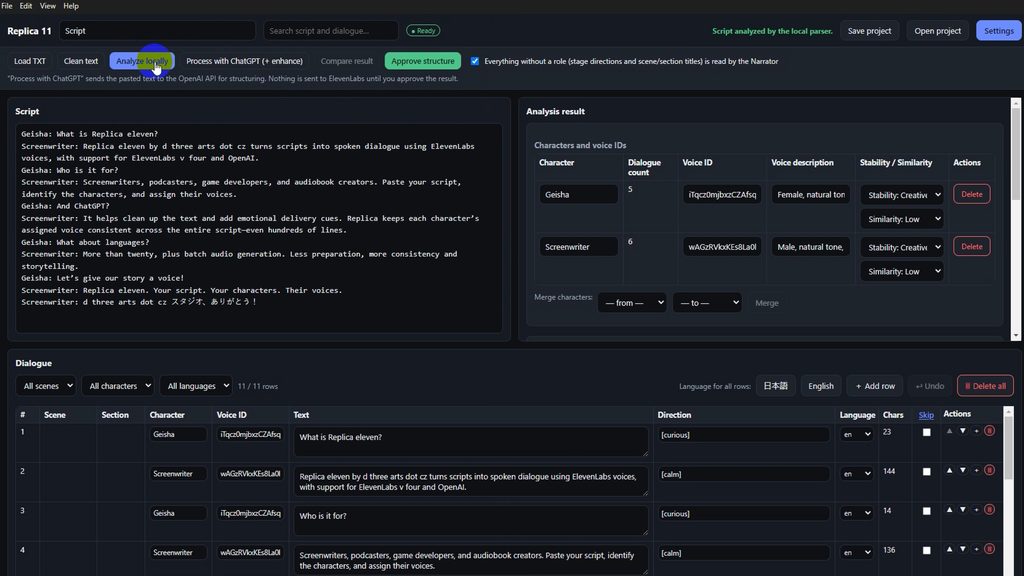
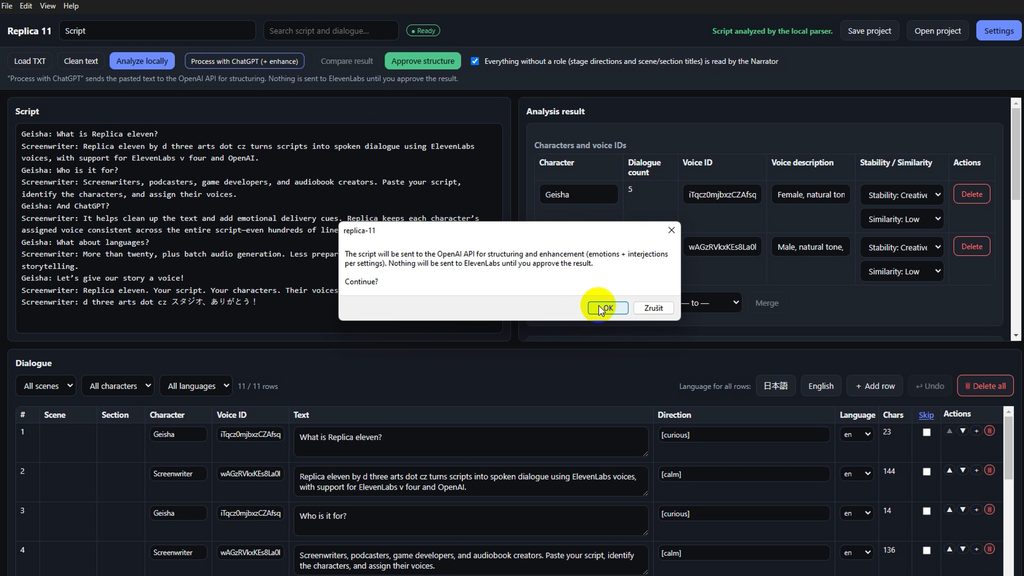
Analyze locally parses the text without OpenAI. You get a character list and a dialogue table: scene, character, text, direction tag, language. Here you can already merge duplicate names, edit cues such as [curious] or [calm], and prepare the cast. - Assign Voice IDs from ElevenLabs
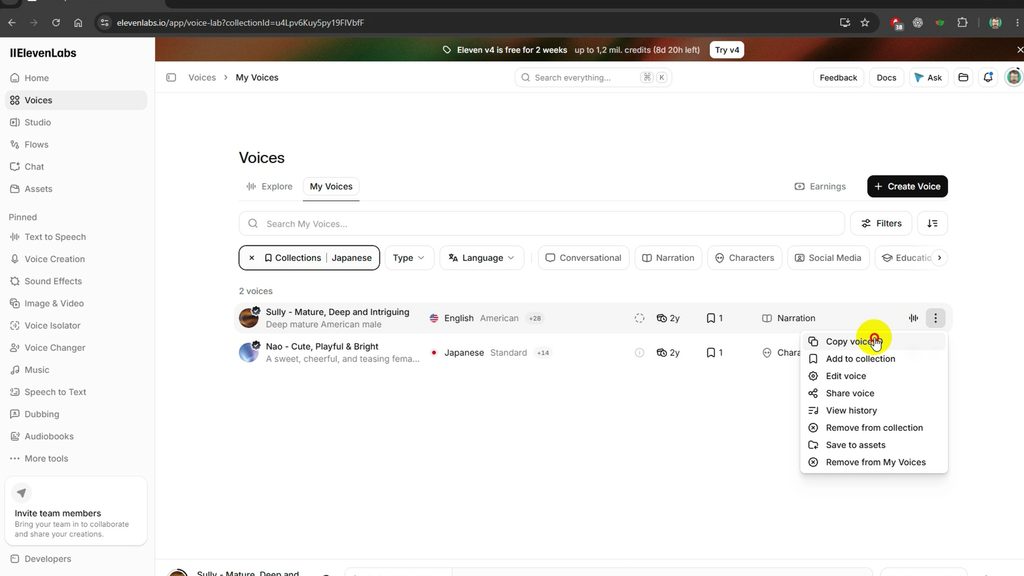
In ElevenLabs, copy a voice’s Voice ID and paste it onto each character in Replica. That creates stable casting: one character = one voice across the whole project. Stability and similarity can be set per character — more expressive versus more consistent delivery. - Optional: Process with ChatGPT
If you want smarter structure or emotional tags, send the script to ChatGPT. The app asks for confirmation first. OpenAI structures the text and may add performance cues; ElevenLabs is not called yet. Only after Approve structure do you continue to voices. - Export or generate audio
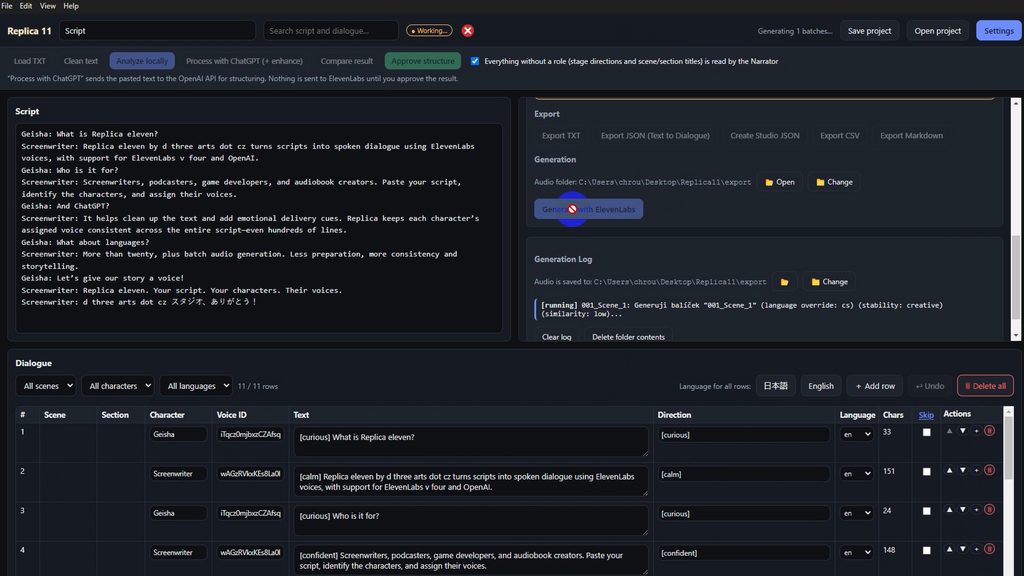
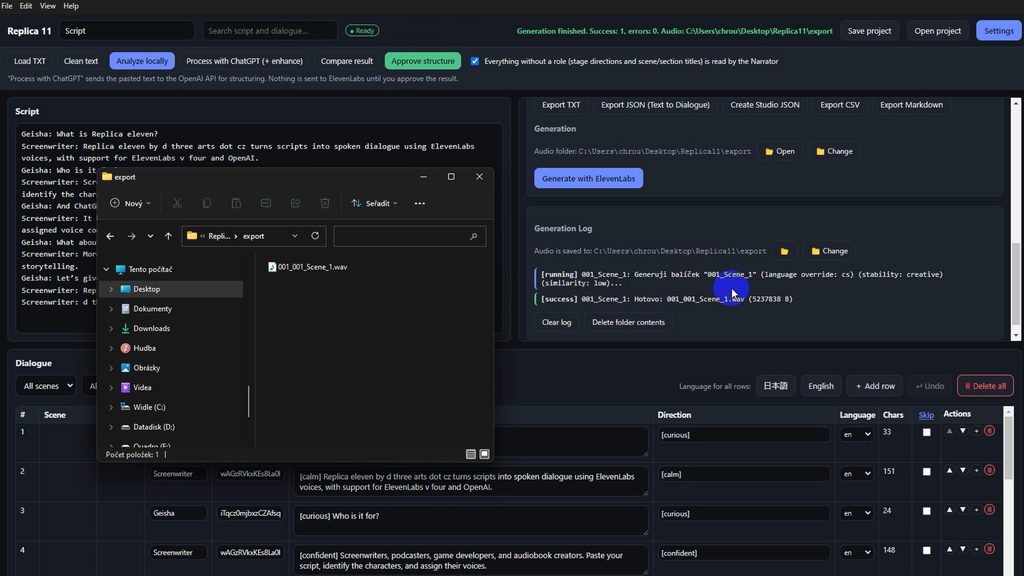
Export the finished structure (TXT, JSON, Studio JSON, CSV, Markdown) or hit Generate with ElevenLabs. Generation runs in batches; the log shows language, stability, and errors. Files land in a local folder as WAV or MP3, depending on quality settings. - Save the project
The project file keeps the script, voice mapping, and settings — without API keys. The next day you reopen the same cast and continue without parsing from scratch
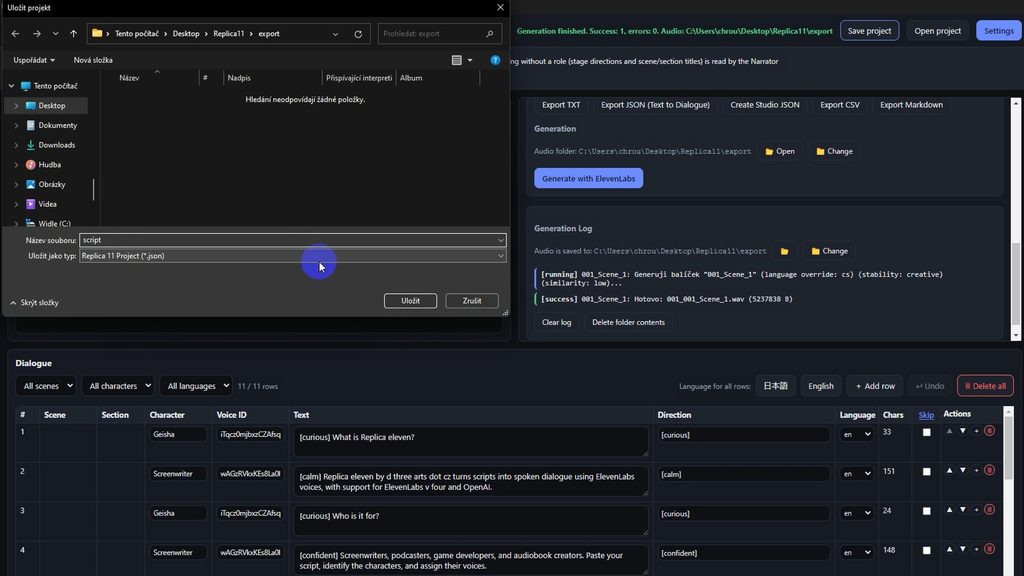
The chain is simple:
script → analysis → voices → (optional ChatGPT) → audio generation
That directness is what makes Replica interesting. It is not another chat window into which you drop a paragraph. It is a production layer between the script and a voice API.
What works on its own — and what does not
A practical split: voice generation does not need ChatGPT. ElevenLabs alone is enough. Local analysis and export also work without the cloud. OpenAI is optional — for cleanup, emotions, and transcription translation. Creators choose how deep the AI intervention goes, according to credit budget and how clean the script already is. The FAQ on d3arts.cz covers this in more detail.
The newer Translate transcription feature addresses something festival authors meet often: you have text in one language and need a version for another dub or an international cut. Translation runs through ChatGPT in chunks, returns into the script panel, and only then comes analysis and voice generation.
Why talk about it at Playlist
Playlist International Film Festival treats AI not as a marketing slogan, but as a practical production tool. In short form, minutes matter: how fast a temp dub appears, how consistently characters keep their voices, how easily a script moves from Word into something you can listen to. Replica 11 aims to shorten exactly that stretch.
Whether it is truly the “first” software of its kind will be settled by practice and competition. For festival production, something else matters more: that a tool has appeared which takes the script seriously as an input — not just as a paragraph pasted into a text-to-speech box. For makers of AI shorts, fairy tales, or sci-fi clips, it can be as practical as a good editing app: less time mapping voices, more time on the story.
Replica 11 for Windows app from d3arts.cz. At Playlist, that is exactly the kind of thing worth watching — not as a curiosity, but as part of a new production reality in which a short film begins with a script that can speak.